

How to add a Brand on Qwairy?
Step-by-Step Guide
1. Open the Brand Selector
At the top-left of your dashboard, click the dropdown under your workspace name (e.g. Acme Inc).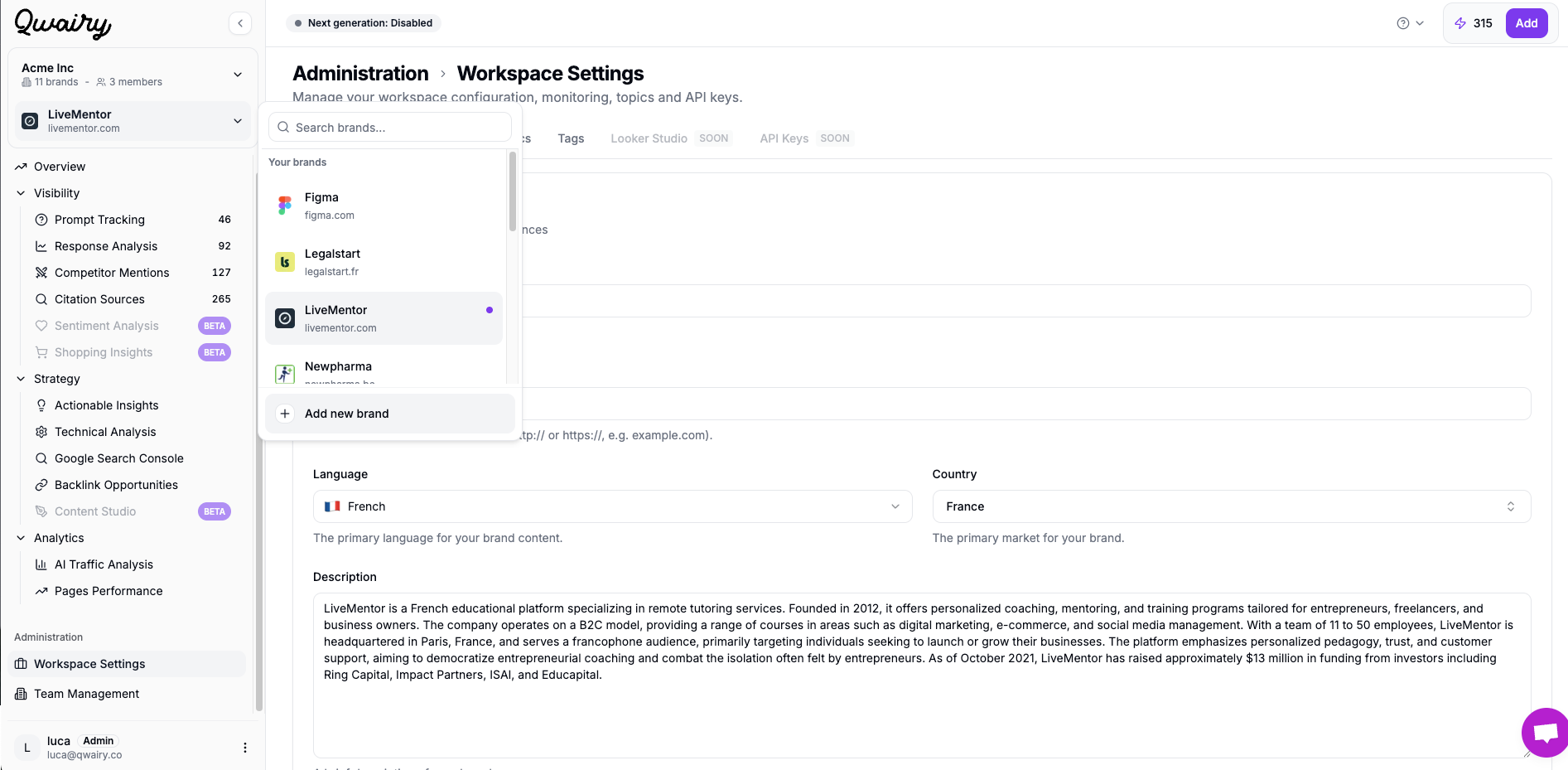
2. Click “➕ Add new brand”
At the bottom of the dropdown list, you’ll see an “Add new brand” button. Click it to begin setup.What happens next?
You will start your brand onboarding on Qwairy. You can read this page to understand how to do your onboarding.You can switch between brands anytime from the dropdown menu.