> ## Documentation Index
> Fetch the complete documentation index at: https://docs.qwairy.co/llms.txt
> Use this file to discover all available pages before exploring further.
# Introduction
> Welcome to Qwairy — your strategic tool to monitor and improve how your brand is represented in AI-powered search engines like ChatGPT, Perplexity, and AI Overview.
# Getting Started with Qwairy: Onboarding Guide
Welcome to **Qwairy** — your strategic tool to monitor and improve how your brand is represented in AI-powered search engines like ChatGPT, Perplexity, and AI Overview.
## Quick Video Overview
## Step-by-Step Onboarding Process
The onboarding wizard guides you through **5 steps** to set up your brand monitoring.
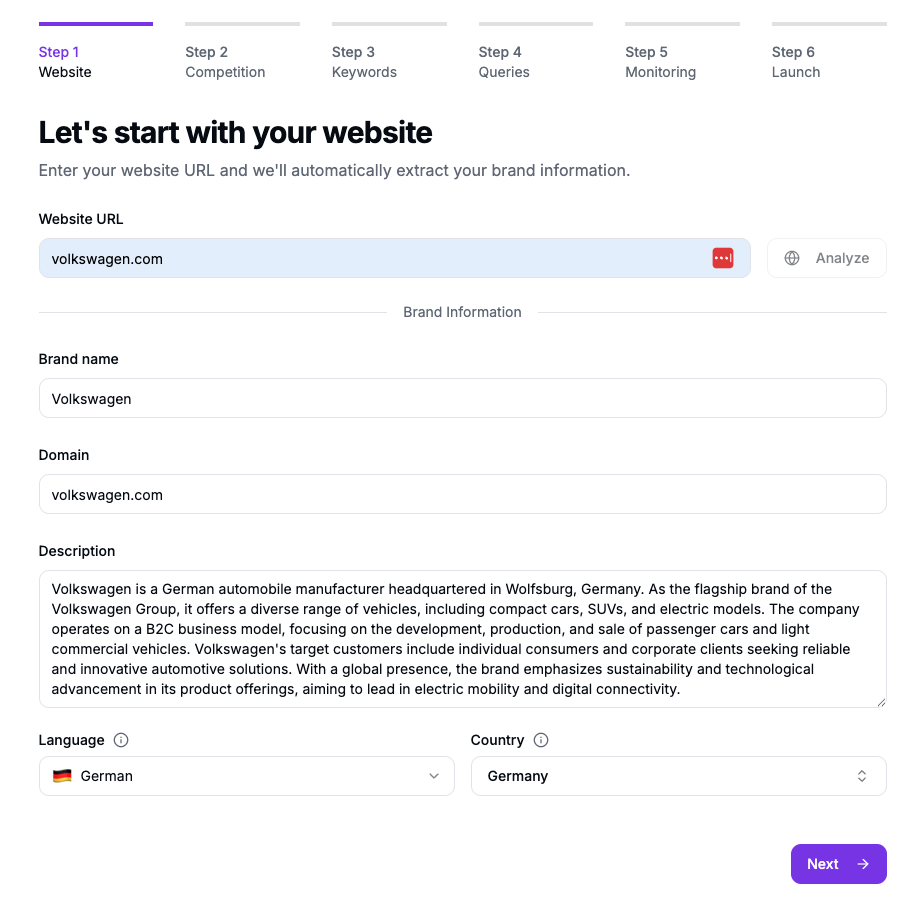
Enter your website URL. Qwairy automatically analyzes the submitted URL with an AI model to:
* Extract your brand name and domain
* Generate a brand description
* Detect language and country
Qwairy does not crawl or scrape your site — it infers this information from the URL you provide.
Review and edit the auto-generated information for accuracy.
One brand = one country. Add separate brands for multiple markets.
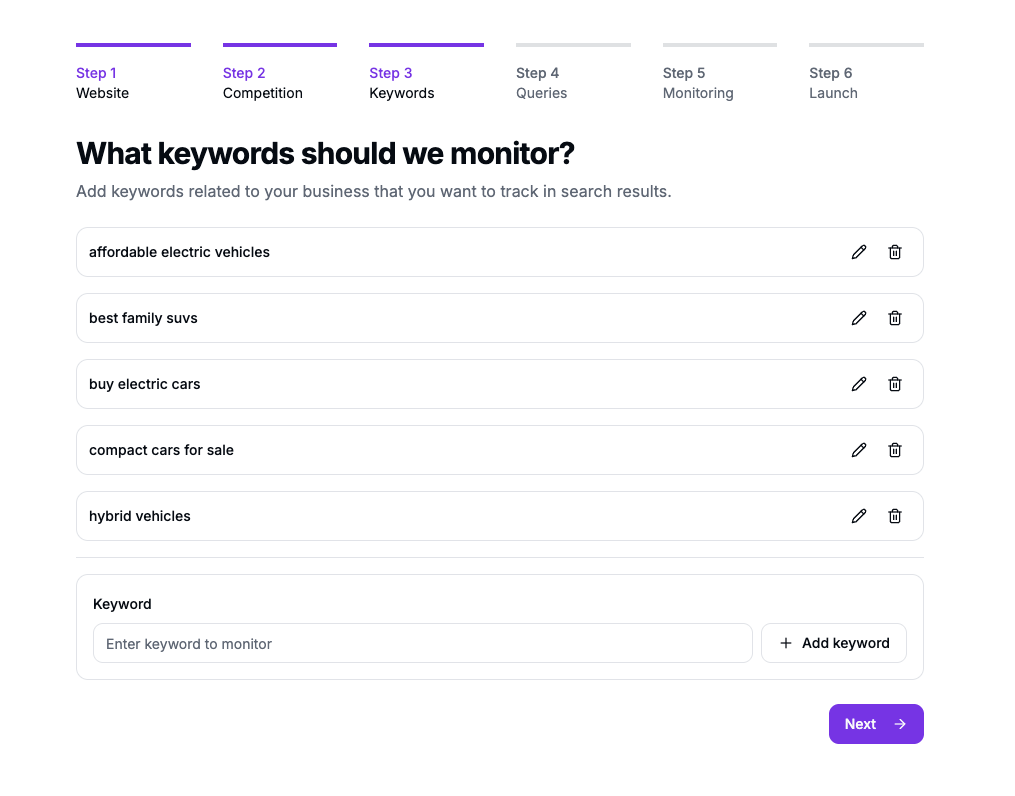
Qwairy generates **priority topics** based on your brand analysis. Topics are semantic themes you want your brand associated with.
Each topic has a priority level:
* **Critical** — Highest strategic importance
* **High** — Important for visibility
* **Medium** — Relevant topics
* **Low** — Nice to monitor
You can:
* Keep or remove suggested topics
* Add custom topics
* Maximum **5 topics**
Deleting a topic removes all associated prompts.
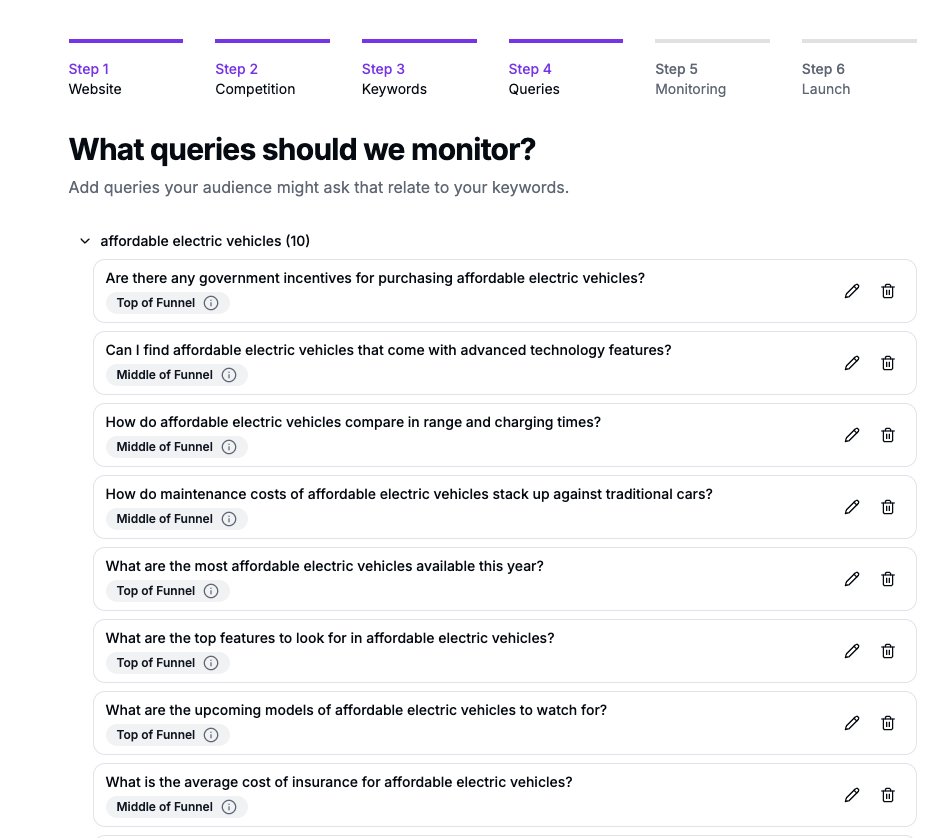
Qwairy auto-generates **natural language prompts** for each topic. These are the questions users ask AI platforms.
Each prompt includes:
* **Question text** — The actual prompt
* **Funnel type** — TOFU, MOFU, or BOFU
* **Topic** — Associated keyword
You can:
* Review and customize generated prompts
* Add your own prompts
* Maximum **50 prompts**
Each prompt becomes a visibility checkpoint where Qwairy tracks if your brand appears.
Configure how Qwairy monitors your prompts.
### Frequency
| Option | Description |
| ----------------- | ------------------- |
| **No Monitoring** | Manual runs only |
| **Daily** | Refreshes every day |
| **Weekly** | Select day of week |
| **Monthly** | Select day of month |
### AI Models
Select which AI platforms to monitor:
**Core Models (1 credit each):**
* ChatGPT, Perplexity, Copilot, Grok, Gemini, AI Overview, AI Mode
**Premium Models (2-6 credits):**
* GPT-5, GPT-5.1, Claude Sonnet, Gemini 3 Pro, Sonar Pro, and more
### Auto-generate
Toggle to generate responses immediately after setup (vs waiting for first scheduled run).
Recommended: Weekly monitoring for most brands.
Credit cost = prompts × models × credit cost per model. Displayed before confirmation.
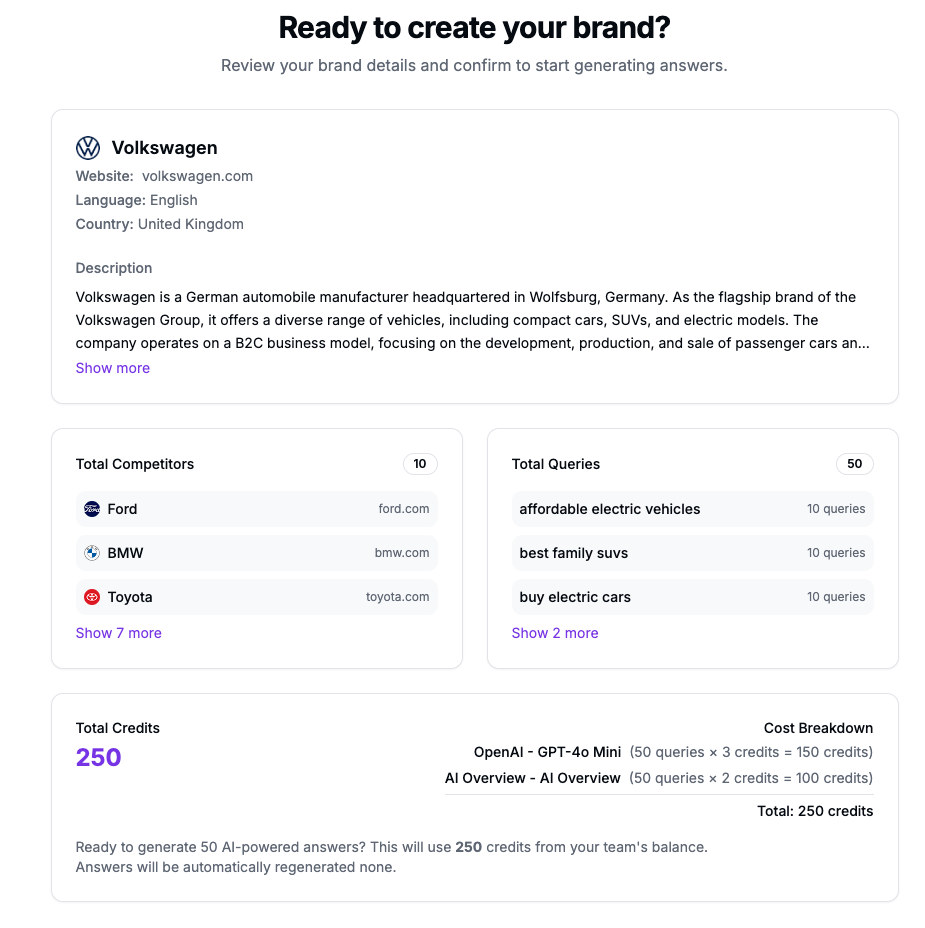
Review your complete configuration:
* Brand info (name, domain, language, country)
* Topics and prompts summary
* Selected AI models
* Credit cost breakdown
* Balance after generation
Click **Start Monitoring** to go live.
Free plan: 120 signup credits (one-time). Plan your model selection accordingly.
## What About Competitors?
Competitors are **automatically detected** when they appear in AI-generated responses. You don't need to add them during onboarding — Qwairy identifies them for you.
You can always add, edit, or remove competitors later in **Monitor > Competitor Mentions**.
## Next Steps
Your data will be ready in a few minutes. Explore:
* [Prompt Tracking](/documentation/visibility/tracking-queries) — Monitor your prompts
* [Overview — Performance](/documentation/visibility/performance-dashboard) — View metrics
* [Credits](/documentation/get-started/credits) — Understand credit costs
 Each topic has a priority level:
* **Critical** — Highest strategic importance
* **High** — Important for visibility
* **Medium** — Relevant topics
* **Low** — Nice to monitor
You can:
* Keep or remove suggested topics
* Add custom topics
* Maximum **5 topics**
Each topic has a priority level:
* **Critical** — Highest strategic importance
* **High** — Important for visibility
* **Medium** — Relevant topics
* **Low** — Nice to monitor
You can:
* Keep or remove suggested topics
* Add custom topics
* Maximum **5 topics**
 Each prompt includes:
* **Question text** — The actual prompt
* **Funnel type** — TOFU, MOFU, or BOFU
* **Topic** — Associated keyword
You can:
* Review and customize generated prompts
* Add your own prompts
* Maximum **50 prompts**
Each prompt includes:
* **Question text** — The actual prompt
* **Funnel type** — TOFU, MOFU, or BOFU
* **Topic** — Associated keyword
You can:
* Review and customize generated prompts
* Add your own prompts
* Maximum **50 prompts**